Professional business email,
grown in Canada.
MapleMail hosts email on your own domain — secure, PIPEDA-compliant, and Canadian-hosted. Works with Outlook, Apple Mail and mobile over IMAP/POP/SMTP, with AI inbox tools built in. We hand you the DNS records; you're live in minutes.
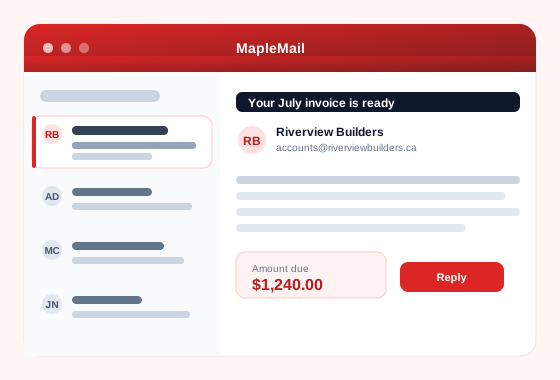
Everything a business inbox needs
Enterprise features without the enterprise headache — and nothing that gets in your way.
Look like a business, not a hobby
Send from you@yourbusiness.ca instead of a Gmail address. One domain, or unlimited on Standard and above.
Keep client data out of US jurisdiction
Your mail stays on Canadian soil under Canadian law — PIPEDA-compliant, never a US datacenter. Answer the question before a client asks it.
Keep the mail app you already use
Nobody has to learn anything new. IMAP, POP3 and SMTP plus webmail and mobile apps — Outlook, Apple Mail, Thunderbird, iOS and Android.
Get out of your inbox faster
AI-assisted drafting, summaries and triage built in, so a morning of email is not a morning gone.
Stay secure without hiring IT
Spam filtering, encryption, two-step auth, and DKIM/DMARC set up for your domain — you do not have to know what those are.
Add staff without redoing everything
Shared mailboxes, calendars and contacts, archiving, and e-discovery on Pro and above. Hire someone Monday, they have mail Monday.
Bring your own domain in minutes
No transfer, no downtime. Keep your domain where it is — we just tell you which records to publish.
- Add your domain in MapleMail.
- We generate your exact
MX,SPF,DKIMandDMARCrecords. - Paste them into your DNS, create your mailboxes, and send & receive.
TXT v=spf1 a mx ~all
TXT default._domainkey …
TXT _dmarc v=DMARC1; p=quarantine
Simple pricing, in Canadian dollars
All plans include webmail, mobile apps, and IMAP/POP/SMTP. Save ~17% with annual billing.
Need more seats? Additional mailboxes are $1.50 CAD/month each on any paid plan. Unlimited domains on Standard and above.
| MapleMail Standard | Google Workspace Business Starter | |
|---|---|---|
| Per user, per month | $7.99 CAD | $9.20 CAD |
| 10 users, per year | $799.00 CAD | $1,104.00 CAD |
| Where your mail is stored | Canada | Google's global data centres |
| Storage per mailbox | 5 GB | 30 GB pooled per user |
| What you get | Email only | Email plus Docs, Sheets, Drive and Meet |
Competitor list prices checked 9 September 2026 on the vendor's own Canadian pricing page. Prices change; check theirs before you decide.
Longer comparisons, including what you give up: MapleMail vs Google Workspace · MapleMail vs Microsoft 365
Pay by card through Stripe, or with PayPal or Interac. Cancel any time from your dashboard — no phone call, no retention script.
30-day money-back guarantee. Not happy in the first 30 days after your first paid charge? Email us and we refund it in full — no reason needed. Terms.
Frequently asked questions
Can I use my own domain with MapleMail?
Yes. MapleMail is built for your own domain — every plan supports at least one domain, and Standard and above allow unlimited domains. We provide the exact DNS records (MX, SPF, DKIM, DMARC) to publish; most customers are live in minutes.
Is MapleMail hosted in Canada?
Yes. MapleMail is hosted in Canada and is PIPEDA-compliant, so your business email and data stay under Canadian jurisdiction — never a US datacenter.
How much does MapleMail cost?
There is a free-forever plan (1 mailbox, 1 domain, 2 GB). Paid plans start at $1.85 CAD per user per month and go up to Pro at $16.95 CAD (20 GB per mailbox, 1 TB total, unlimited domains). Annual billing saves about 17%, and extra mailboxes are $1.50 CAD per month each on any paid plan.
Does MapleMail work with Outlook, Apple Mail, and mobile apps?
Yes. MapleMail supports IMAP, POP3 and SMTP, so it works with any standard email client — Outlook, Apple Mail, Thunderbird, and the iOS and Android mail apps — plus built-in webmail.
Can I migrate my existing email to MapleMail?
Yes. Because MapleMail uses standard IMAP, existing mailboxes migrate over. Bring your domain, create your mailboxes, and import your mail — your history comes with you.
What security does MapleMail include?
Spam filtering, encryption in transit, two-step authentication, and email archiving with e-discovery on Pro and above. DKIM and DMARC are configured for your domain to protect deliverability.
How is MapleMail different from Google Workspace and Microsoft 365?
MapleMail is Canadian-hosted and PIPEDA-compliant, priced in Canadian dollars, and focused on doing business email on your own domain simply and affordably. Unlike Google Workspace or Microsoft 365, your data stays in Canada, pricing starts far lower (from $1.85 CAD/user/month with a free tier), and there is no US data residency.
Is MapleMail cheaper than Google Workspace or Microsoft 365?
Yes. MapleMail Standard is $7.99 CAD per user per month; Google Workspace Business Starter lists at $9.20 CAD (checked 9 September 2026). Over a 10-person team that is a few hundred dollars a year. MapleMail also starts far lower, at $1.85 CAD per user per month, and includes a free-forever tier; extra mailboxes are $1.50 CAD per month each. The side-by-side table in the Pricing section has the current numbers.
Can I host multiple domains or businesses on one MapleMail account?
Yes. Paid plans support multiple domains, and Standard and above allow unlimited domains — ideal if you run more than one business or brand from a single account.
Does MapleMail support email aliases and catch-all addresses?
Yes. You can create aliases such as sales@ or info@, and catch-all addresses for your domain, so no message to your business is missed.
Does MapleMail include calendars and contacts?
Yes. MapleMail includes shared calendars and contact management alongside your inbox, so your team can schedule and stay organized in one place.
Can my whole team share mailboxes and calendars?
Yes. MapleMail offers shared mailboxes, shared calendars, and shared contacts, so teams can collaborate on addresses like support@ or accounts@ without extra tools.
Does MapleMail read, scan, or sell my email or data?
No. MapleMail does not scan your email for advertising or sell your data. As a Canadian, PIPEDA-compliant provider, your email is private and stays under Canadian jurisdiction.
Where are MapleMail's servers physically located?
MapleMail runs on servers located in Canada. Your mailboxes, messages, and backups stay in-country, which keeps you aligned with Canadian privacy expectations and data-residency requirements.
Will my emails land in the inbox instead of spam?
MapleMail configures SPF, DKIM and DMARC for your domain automatically, authenticating your mail to maximize deliverability so your messages reach the inbox, not the spam folder.
Is there a free trial, and is the free plan really free forever?
Yes. MapleMail has a genuinely free-forever plan — 1 mailbox, 1 domain, 2 GB storage, no credit card and no expiry. Upgrade to a paid plan whenever you are ready.
How long does it take to set up MapleMail?
Most customers are live in minutes. You add your domain, publish the DNS records we generate for you, create your mailboxes, and start sending — a simple three-step setup.
Can I keep my current email address when I switch to MapleMail?
Yes. Because MapleMail hosts your own domain, you keep the exact same addresses (like you@yourbusiness.ca). Nothing on your business cards or website has to change.
Does MapleMail work with desktop email apps?
Yes. MapleMail works with any IMAP/POP/SMTP desktop client — Outlook, Apple Mail, Thunderbird and more — as well as webmail in your browser, so you can work the way you prefer.
Is MapleMail a good fit for a sole proprietor or small startup?
Absolutely. The free-forever plan is built for sole proprietors and new businesses who want a professional address on their own domain, and you can grow into paid plans as your team expands.
Is there a contract, and can I cancel anytime?
No long-term contract. MapleMail is month-to-month (or discounted annual if you choose), and you can upgrade, downgrade, or cancel anytime from your MapleWorkSuite dashboard.
What happens to an employee's email when they leave?
Deactivate them in MapleWorkSuite under Users, and MapleMail does the rest: their mail password is cleared, which immediately cuts off IMAP, POP3 and SMTP including the copy saved on their phone, while the mailbox itself stays active so nothing customers send is lost. You choose who takes over the mailbox, and that person gets the full history.
How do I stop a departing employee from reading company email?
Go to Dashboard > Users, open the person, and set their Status to Inactive. That blocks their MapleWorkSuite sign-in, ends any session they already had open, and clears their mailbox password so no mail client can connect. Changing only their portal password is not enough, because the mailbox login is a separate credential.
Can someone else take over a former employee's mailbox?
Yes. When you deactivate a user you pick who inherits their mailboxes, and the new owner sees the entire message history — quotes, invoices and supplier threads included. You can also reassign a mailbox at any time by ticking it under that person in Dashboard > Users.
Should I delete a mailbox when someone leaves?
No. Deleting it destroys records you may need and bounces anyone still writing to that address. Deactivate the person instead: the mailbox keeps receiving mail and stays searchable, while the departing employee loses all access to it.
What does the Restricted role in MapleMail do?
Restricted means the person holds no mailboxes of their own. Set their MapleMail role to Restricted and untick every mailbox, and anything they held returns to the account admin. It is the tidy way to leave someone with a MapleWorkSuite login but no access to company email.
If I reactivate an employee, does their old email password come back?
No. The mail password is destroyed during deactivation, on purpose — that is what makes the cut-off real. Reactivate the user and set a new mailbox password in MapleMail, then reassign any mailboxes they should hold again.
Your domain deserves Canadian email.
Start free in minutes — keep your domain where it is, and we'll hand you the records.
Get started free